
The Fastest .NET Speech Recognition
SpeechToText is LM-Kit.NET's high-performance engine for converting audio content into structured, searchable text. This is the most accurate and fastest speech-to-text implementation available for .NET, with complete native integration and zero external dependencies.
Built under continuous innovation, LM-Kit delivers production-ready speech recognition with Voice Activity Detection, advanced hallucination suppression, dictation formatting, real-time translation, and support for 100+ languages. Accuracy and performance improve with each release. The same technology can be leveraged to build thousands of other AI capabilities in your .NET applications.
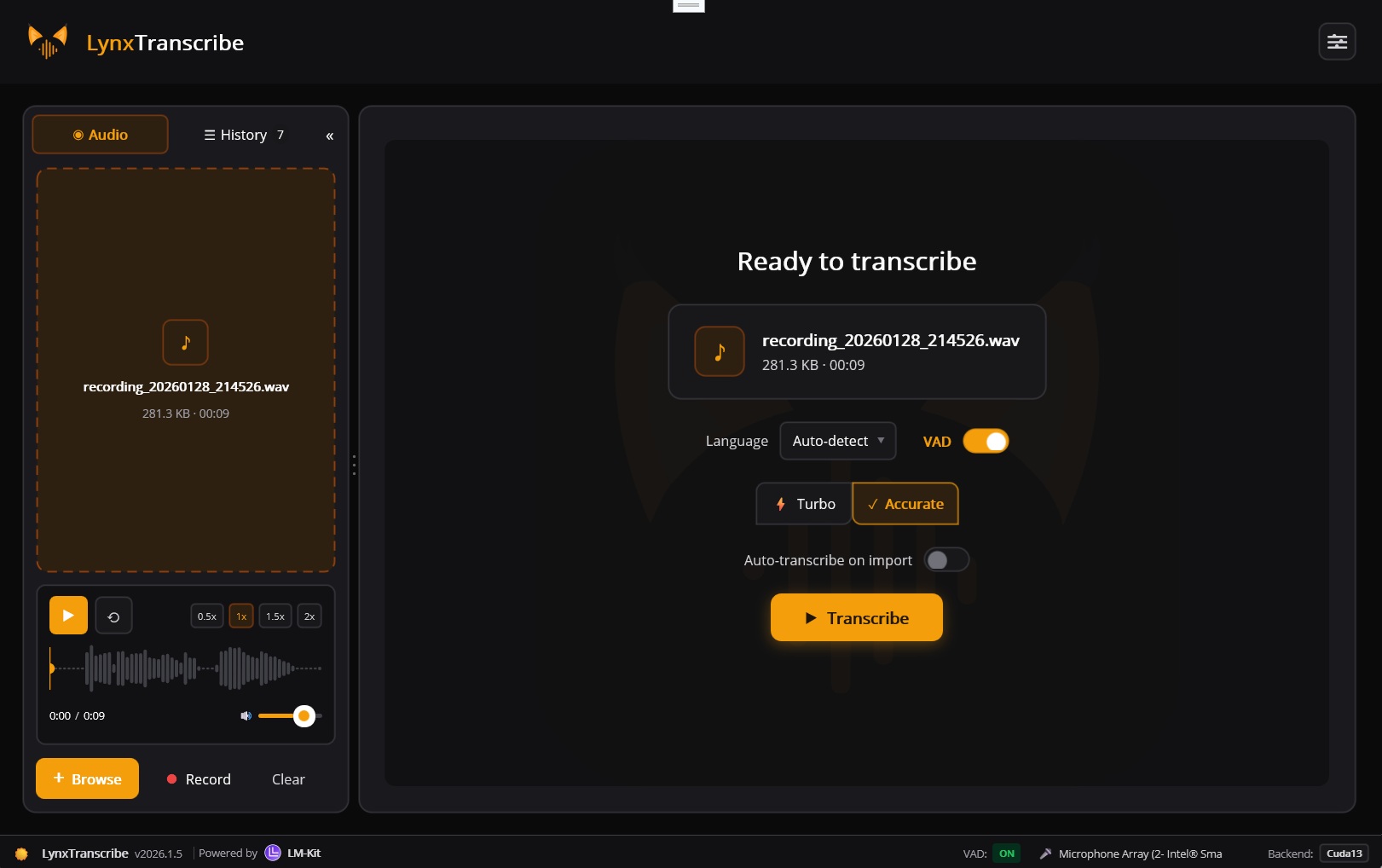
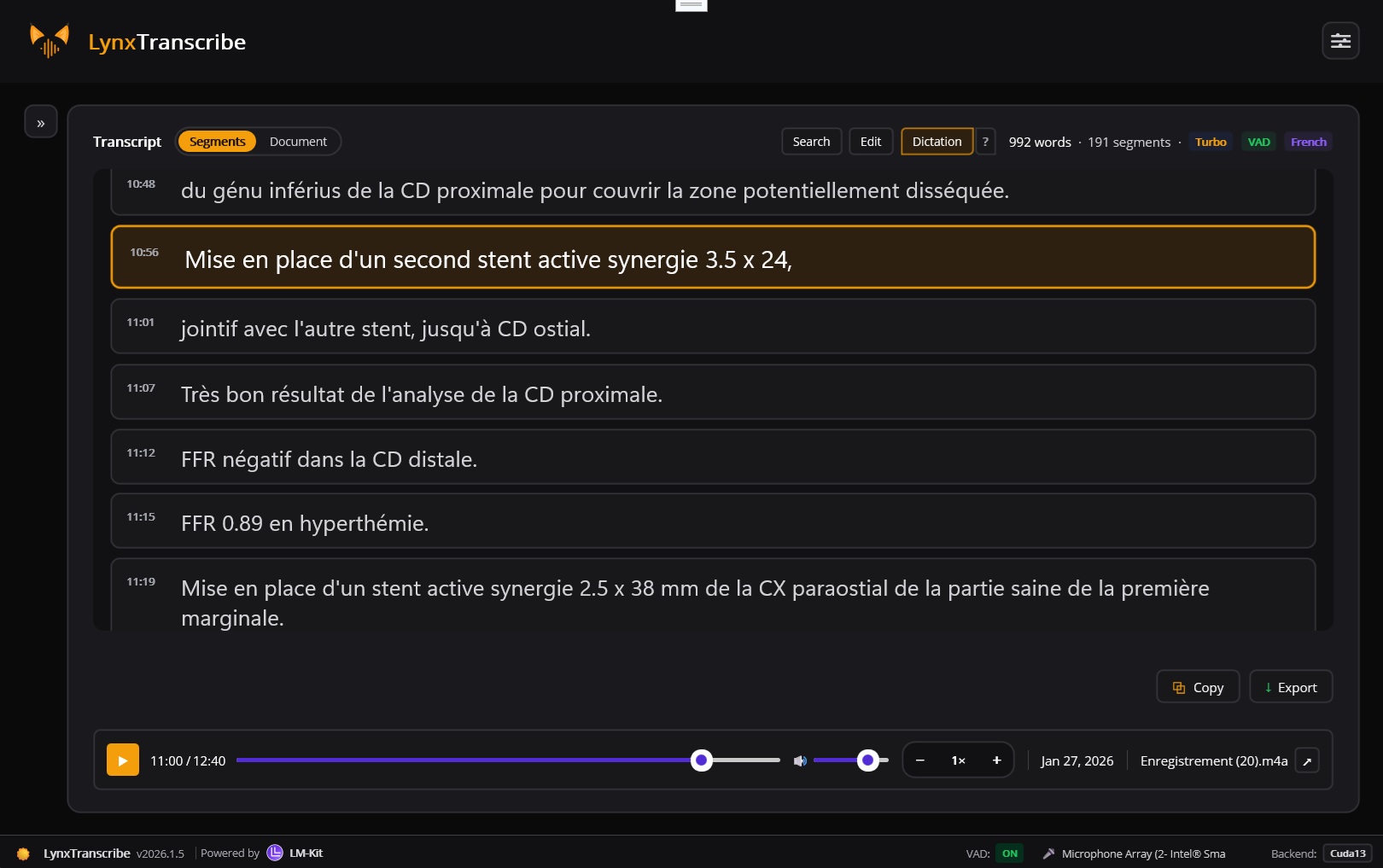
See it in action: LynxTranscribe is a full-featured, open-source transcription application built with LM-Kit.NET and .NET MAUI. Drag-and-drop audio files, record from microphone, export to multiple formats. A complete integration demonstration of LM-Kit speech-to-text technology running 100% locally.
LynxTranscribe
Open Source .NET MAUICross-platform desktop transcription app for Windows and macOS. Full integration demo of LM-Kit.NET speech-to-text capabilities: drag-and-drop audio files, live microphone recording, multiple export formats including SRT/VTT subtitles, all processed entirely on-device.
Console Demo
Code SampleMinimal console application demonstrating audio transcription with streaming output, model selection, and confidence scoring.
Whisper Models for Every Use Case
Seven model sizes from ultra-fast edge deployment to maximum accuracy. Swap models through configuration only.
Multi-Layer Hallucination Suppression
Strong technology to reduce hallucinations and false positives through adaptive filtering.
Eliminate Phantom Text
Speech-to-text models can occasionally produce hallucinated outputs, especially during silent or low-energy audio segments. Common hallucinations include phrases like "Thank you for watching", "Subscribe", "Hello", or other phantom text that does not correspond to actual speech in the audio.
LM-Kit's SuppressHallucinations feature applies advanced adaptive filtering that
combines multiple validation strategies, including entropy-based adaptive mathematical analysis
and innovative signal processing techniques. This technology is continuously improved by our
R&D team, delivering better accuracy with each release. Additional proprietary approaches
further enhance detection reliability.
- Audio energy analysis: Computes RMS energy for each segment and compares against adaptive thresholds derived from previously transcribed segments
- Statistical adaptation: Filtering threshold adjusts dynamically based on median RMS, variance, and stability of prior segments
- No-speech probability: Segments with high no-speech probability scores from the model are filtered out
- Token confidence: Segments with very high average token probability bypass additional filtering
- Speaking rate validation: Validates word count relative to segment duration falls within realistic human speaking rates
RMS Energy Analysis
Compare segment energy against adaptive thresholds
Statistical Adaptation
Dynamic threshold based on segment history
No-Speech Probability
Model confidence in speech presence
Token Confidence
High confidence bypasses additional checks
Speaking Rate Validation
Words per second within human range
Complete Speech Processing Toolkit
Everything you need to build production-grade audio transcription pipelines, fully integrated with .NET.
100+ Language Detection
Automatic language detection across 100+ languages. No manual configuration required. DetectLanguage returns ISO language codes with confidence scores.
Voice Activity Detection
Configurable VAD isolates speech from silence and background noise. Energy thresholds, speech/silence durations, and padding are all adjustable via VadSettings.
Real-Time Translation
Transcribe any language and translate to English simultaneously using SpeechToTextMode.Translation. One-step multilingual content processing.
Dictation Formatting
Intelligent punctuation and capitalization for dictation workflows. Transform raw speech into properly formatted text automatically.
Timestamped Segments
Every AudioSegment includes start/end timestamps, text, confidence score, and detected language. Perfect for subtitles, video sync, and searchable archives.
Universal Audio Support
WAV, MP3, FLAC, OGG, M4A, WMA. Any sample rate, mono or stereo. The WaveFile class handles format detection and conversion automatically.
Hallucination Suppression
Multi-layer adaptive filtering eliminates false positives and phantom text through RMS analysis, statistical adaptation, and speaking rate validation.
Streaming Output
OnNewSegment event delivers transcription results in real-time as audio is processed. Build responsive UIs with immediate feedback.
Native .NET Integration
Completely integrated with .NET ecosystem. No external dependencies, no interop complexity. Use familiar C# patterns and async/await throughout.
Intelligent Speech Isolation
Configurable VAD parameters for optimal transcription accuracy in any environment.
Isolate What Matters
Voice Activity Detection distinguishes speech from background noise, silence, and non-speech audio. By processing only meaningful speech segments, VAD dramatically improves transcription accuracy while reducing processing time and resource usage.
LM-Kit's VadSettings class provides fine-grained control over detection
parameters, letting you tune sensitivity for different audio environments, from
quiet meeting rooms to noisy field recordings.
- Reduce transcription errors from background noise
- Process only meaningful audio segments
- Configurable for any audio environment
- Faster processing with intelligent filtering
Energy Threshold
Minimum energy level to detect speech vs silence
Speech Duration
Minimum continuous speech to trigger detection
Silence Duration
Gap length that ends a speech segment
Speech Padding
Extra audio context around detected speech
Transcribe Audio in Minutes
Complete examples showing audio transcription and translation with streaming output.
using LMKit.Media.Audio;
using LMKit.Model;
using LMKit.Speech;

namespace YourNamespace
{
    class Program
    {
        static void Main(string[] args)
        {
            // Instantiate the Whisper model by ID.
            // See the full model catalog at:
            // https://docs.lm-kit.com/lm-kit-net/guides/getting-started/model-catalog.html
            var model = LM.LoadFromModelID("whisper-large-turbo3");

            // Open the WAV file from disk for transcription
            var wavFile = new WaveFile(@"d:\discussion.wav");

            // Create the speech-to-text engine for streaming, multi-turn transcription
            var engine = new SpeechToText(model);

            // Print each segment of transcription as it's received (e.g., real-time display)
            engine.OnNewSegment += (sender, e) =>
                Console.WriteLine(e.Segment);

            // Transcribe the entire WAV file; returns the full transcription information
            var transcription = engine.Transcribe(wavFile);

            // TODO: handle transcription results (e.g., save to file or process further)
        }
    }
}
using LMKit.Media.Audio;
using LMKit.Model;
using LMKit.Speech;

namespace YourNamespace
{
    class Program
    {
        static void Main(string[] args)
        {
            // Instantiate the Whisper model by ID.
            // See the full model catalog at:
            // https://docs.lm-kit.com/lm-kit-net/guides/getting-started/model-catalog.html
            var model = LM.LoadFromModelID("whisper-large3");

            // Open the WAV file from disk for transcription
            var wavFile = new WaveFile(@"d:\discussion.wav");

            // Create the speech-to-text engine for streaming, multi-turn transcription+translation
            SpeechToText engine = new(model)
            {
                Mode = SpeechToText.SpeechToTextMode.Translation
            };

            // Print each segment of transcription as it's received (e.g., real-time display)
            engine.OnNewSegment += (sender, e) =>
                Console.WriteLine(e.Segment);

            // Transcribe the entire WAV file; returns the full transcription information
            var transcription = engine.Transcribe(wavFile);

            // TODO: handle transcription results (e.g., save to file or process further)
        }
    }
}
using LMKit.Model;
using LMKit.Media.Audio;
using LMKit.Speech;

// Load a Whisper model by ID
var model = LM.LoadFromModelID("whisper-large-turbo3");

// Open audio file (any format, any sample rate)
var wavFile = new WaveFile(@"meeting-recording.wav");

// Create transcription engine with full configuration
var stt = new SpeechToText(model)
{
    EnableVoiceActivityDetection = true,
    SuppressHallucinations = true,  // Multi-layer adaptive filtering
    VadSettings = new VadSettings
    {
        EnergyThreshold = 0.5f,
        MinSpeechDuration = 0.3f,
        MinSilenceDuration = 0.5f
    }
};

// Stream segments as they're transcribed
stt.OnNewSegment += (sender, e) =>
{
    Console.WriteLine($"[{e.Segment.Start:mm\\:ss} -> {e.Segment.End:mm\\:ss}]");
    Console.WriteLine($"  {e.Segment.Text}");
    Console.WriteLine($"  Language: {e.Segment.Language}, Confidence: {e.Segment.Confidence:P1}");
};

// Track progress
stt.OnProgress += (sender, e) =>
    Console.WriteLine($"Progress: {e.ProgressPercentage:P0}");

// Transcribe the full audio file
var result = stt.Transcribe(wavFile);

Console.WriteLine($"\n=== Full Transcription ===\n{result.Text}");
Console.WriteLine($"\nSegments: {result.Segments.Count}");
Open-Source .NET MAUI Transcription App
A complete integration demonstration of LM-Kit.NET speech-to-text technology. Built with .NET MAUI for Windows and macOS. Your audio stays on your device.
View on GitHub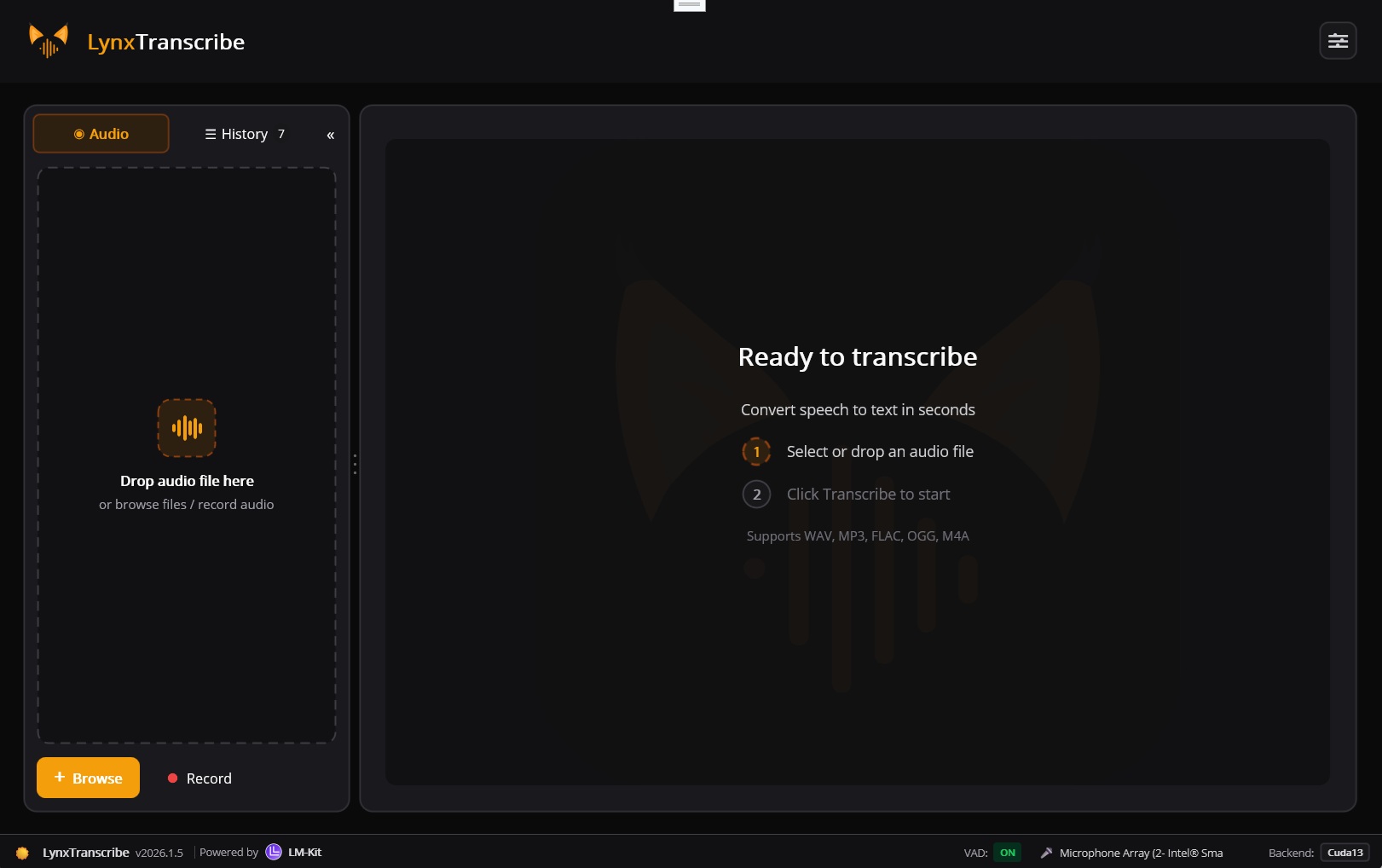
Post-Processing Capabilities
Leverage LM-Kit.NET's text generation to transform transcriptions into actionable outputs.
Summarize
Generate concise summaries from lengthy transcriptions. Extract key points, decisions, and highlights automatically.
Speaker Detection
Identify and label different speakers in conversations. Attribute segments to individual participants.
Extract Action Items
Pull out tasks, to-dos, and commitments from meeting transcripts. Generate structured task lists.
Format as Meeting Notes
Structure transcriptions with headers, sections, and formatting. Create professional meeting documentation.
Correct Grammar
Fix transcription errors and improve readability. Clean up spoken language into polished written text.
Translate Text
Convert transcribed text to any target language. Multilingual content distribution from a single source.
Built for Real Applications
From meeting transcription to accessibility features to content indexing.
Meeting Transcription
Convert meeting recordings into searchable transcripts. Timestamped segments sync perfectly with video for easy navigation and review.
Healthcare Documentation
Capture voice notes and clinical consultations with dictation formatting. Process sensitive medical data entirely on-device for HIPAA compliance.
Subtitles & Captions
Generate SRT and VTT subtitle files automatically. Perfect timing with AudioSegment timestamps for video accessibility.
Education & E-Learning
Transcribe multilingual lectures and courses. Make educational content accessible and searchable across languages.
Customer Service Analysis
Transcribe support calls for quality analysis and training. Pair with LM-Kit's sentiment analysis for comprehensive customer insights.
Legal & Compliance
Transcribe depositions, hearings, and consultations with accuracy. On-device processing ensures confidential legal content never leaves your infrastructure.
Voice Assistants
Build voice-controlled interfaces with real-time transcription. Low latency on-device processing enables responsive voice interactions.
Content Indexing
Make audio and video content searchable. Extract text from podcasts, interviews, and media libraries for full-text search capabilities.
Key Classes & Methods
Core components for building speech recognition pipelines.
SpeechToText
Main transcription engine. Provides Transcribe, TranscribeAsync, DetectLanguage methods. Configure VAD, mode (transcription/translation), hallucination suppression, and streaming callbacks.
View DocumentationAudioSegment
Represents a transcribed speech segment with text, start/end timestamps, confidence score, and detected language.
View DocumentationVadSettings
Configuration for Voice Activity Detection. Control energy threshold, speech/silence durations, and speech padding for optimal detection.
View DocumentationTranscriptionResult
Contains full transcription text and collection of AudioSegments. Access combined text or iterate segments for timestamps and metadata.
View DocumentationWaveFile
Audio file handler supporting multiple formats. Automatic sample rate and channel detection. Use IsValid to verify audio integrity.
View DocumentationSpeechToTextMode
Enum for transcription modes: Transcription (original language) or Translation (any language to English).
View DocumentationNative .NET Integration
Completely integrated with .NET. Leverage speech recognition alongside thousands of other AI capabilities.
Zero Dependencies
No FFmpeg, no native interop complexity. Pure .NET solution.
Async/Await
Familiar C# patterns with TranscribeAsync for non-blocking operations.
Cross-Platform
Windows, macOS, Linux. Desktop, mobile, and server deployments.
LM-Kit Ecosystem
Combine with text generation, embeddings, and other AI capabilities.
Ready to Add Speech Recognition?
The fastest and most accurate .NET speech-to-text. On-device transcription with 100+ languages, VAD, hallucination suppression, and real-time translation. Zero cloud dependency.